A little closer.Wherever the day goes.
BRYKK is family safety for real homes: shared drives, saved places, SOS, impact detection, chat, translation, and one family circle that can include both iPhone and Android.
iPhone is on the App Store. Android is available now through an invited Google Play beta.
One family. Different phones.
BRYKK's Android beta connects to the same family as iPhone. A parent on Android, a spouse on iPhone, and relatives using either platform can share one family map, saved places, messages, and drive context.
Request access
Email the Google account you use in the Play Store.
Install from Play
We add you to the private test and send the official Google Play link.
Join your family
Use your BRYKK family connection so Android and iPhone appear together.
Help shape the Android app.
The beta includes the connected family map, clearer person and saved-place markers, cross-platform family status, messages, weather, location sharing, and drive recording. We are still refining parity, polish, and background behavior with real families.
Email Nathan to joinInternal testing is limited. Include the email tied to Google Play so we can invite the right account.
What stays platform-specific
Apple Watch, iPad layouts, iOS widgets, and Live Activities remain Apple experiences. Android uses its own system notifications and home-screen widget while the core family data stays shared.
Android beta details and setup →See your family from any screen.
Open the family map, saved places, messages, and recent trips from a Mac, Windows PC, Chromebook, tablet, or any modern browser. Live movement uses the same cross-platform family connection as iPhone and Android.
A clearer picture of your family’s day.
The family map should feel like a shared place, not a control room.
BRYKK is built around home, presence, safe arrival, and the small moments families actually care about.
It stays quiet until something matters.
Saved places, shared drives, impact detection, SOS, and arrival alerts are still the core. The calmer design makes those signals easier to understand.
Family data should not become somebody else's product.
BRYKK keeps the promise simple: your family gets the signal, not an advertising stack built around your location history.
A family app should feel easy to open, even on a busy day.
Follow drives, check the day, message your family, and translate when travel gets complicated. BRYKK keeps the important details readable without turning family safety into a control room.
iPhone preview from TestFlight 4.15.76. Android beta 0.7.0 can create its own family or share one with iPhone, using Android-native controls and notifications. Screenshots use fictional family and sample weather data.
Your family, together
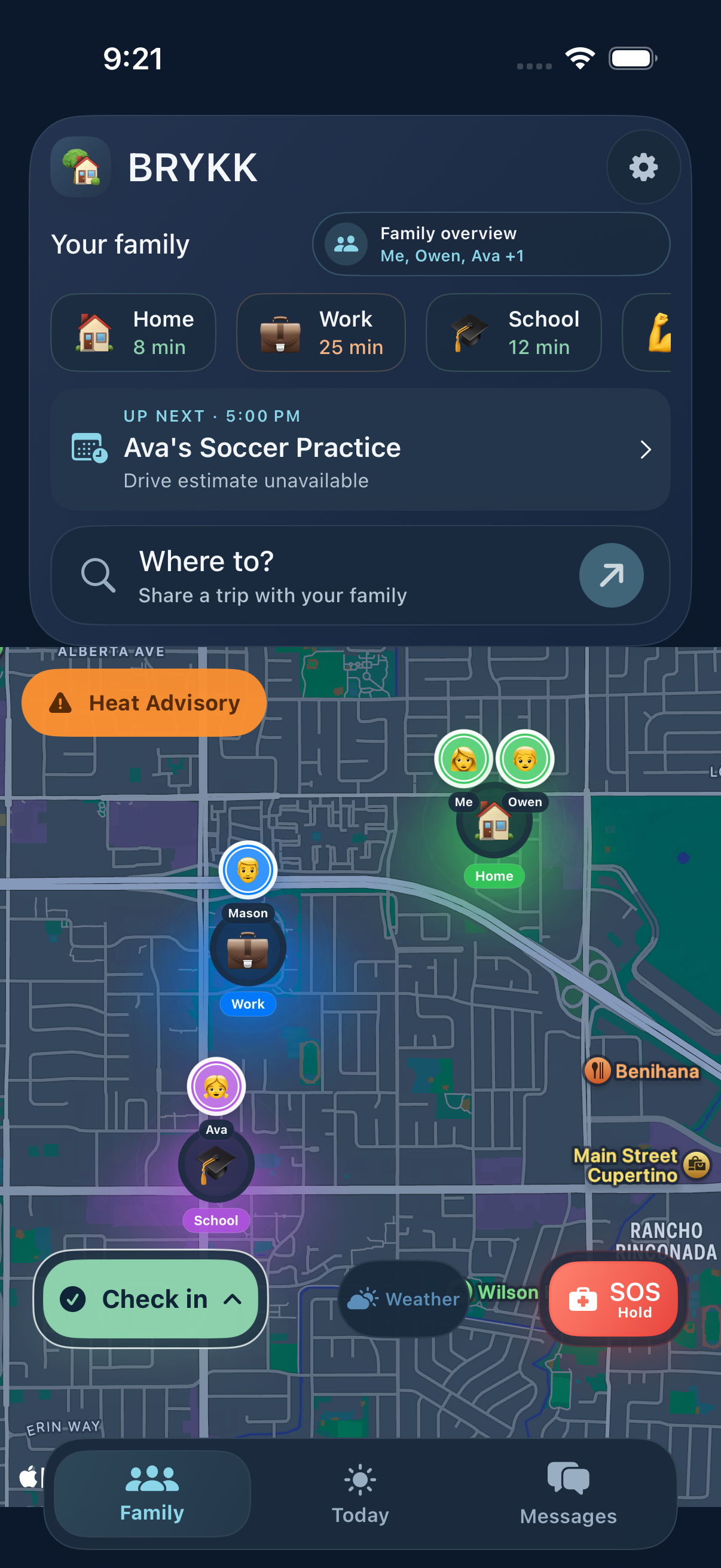
Family members, saved places, and shared trips on one readable map—even when the household uses both iPhone and Android. See the last update, not just a pin.
Today
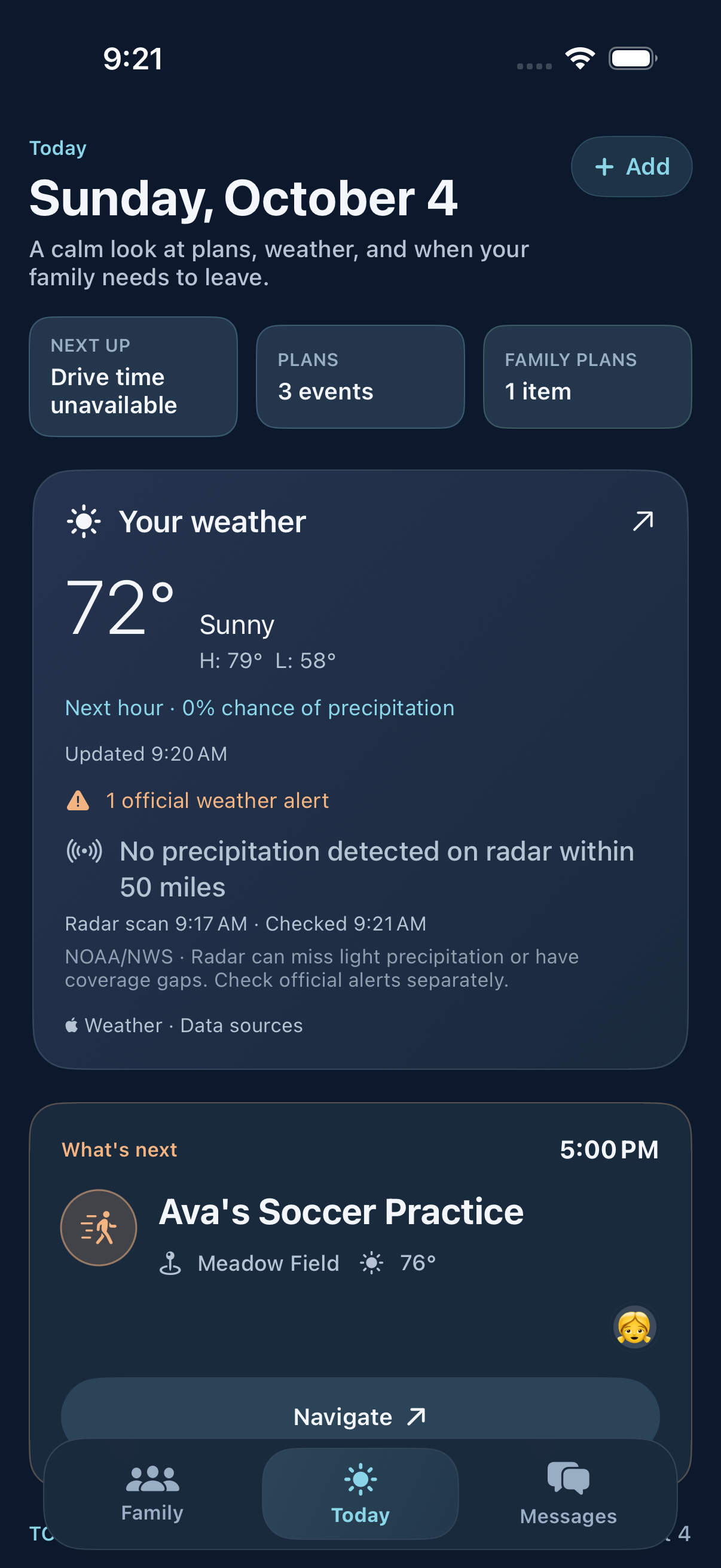
Your weather and family at a glance. BRYKK Life adds shared plans and departure timing for the day ahead.
Messages
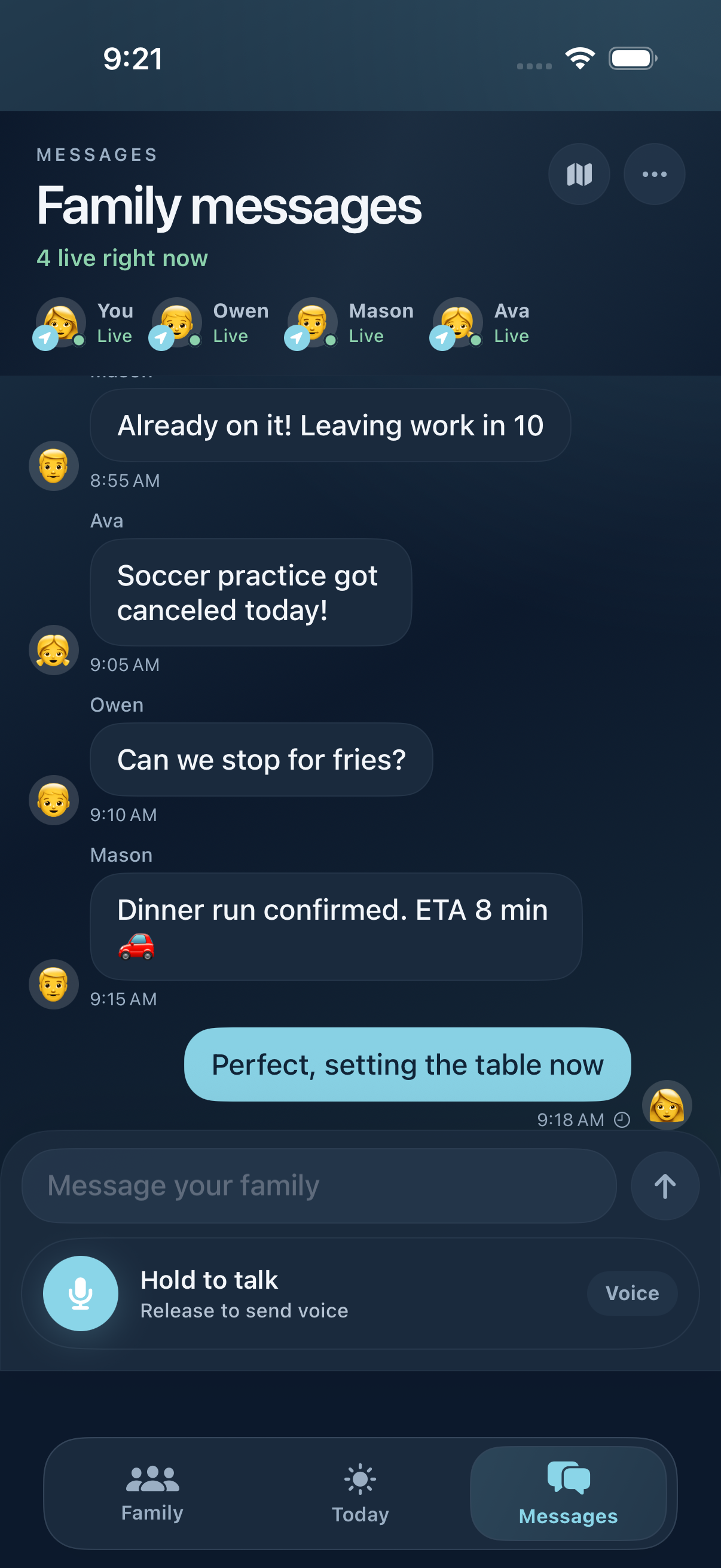
Family chat should stay readable and soft, with quick context when someone is leaving, arriving, or checking in.
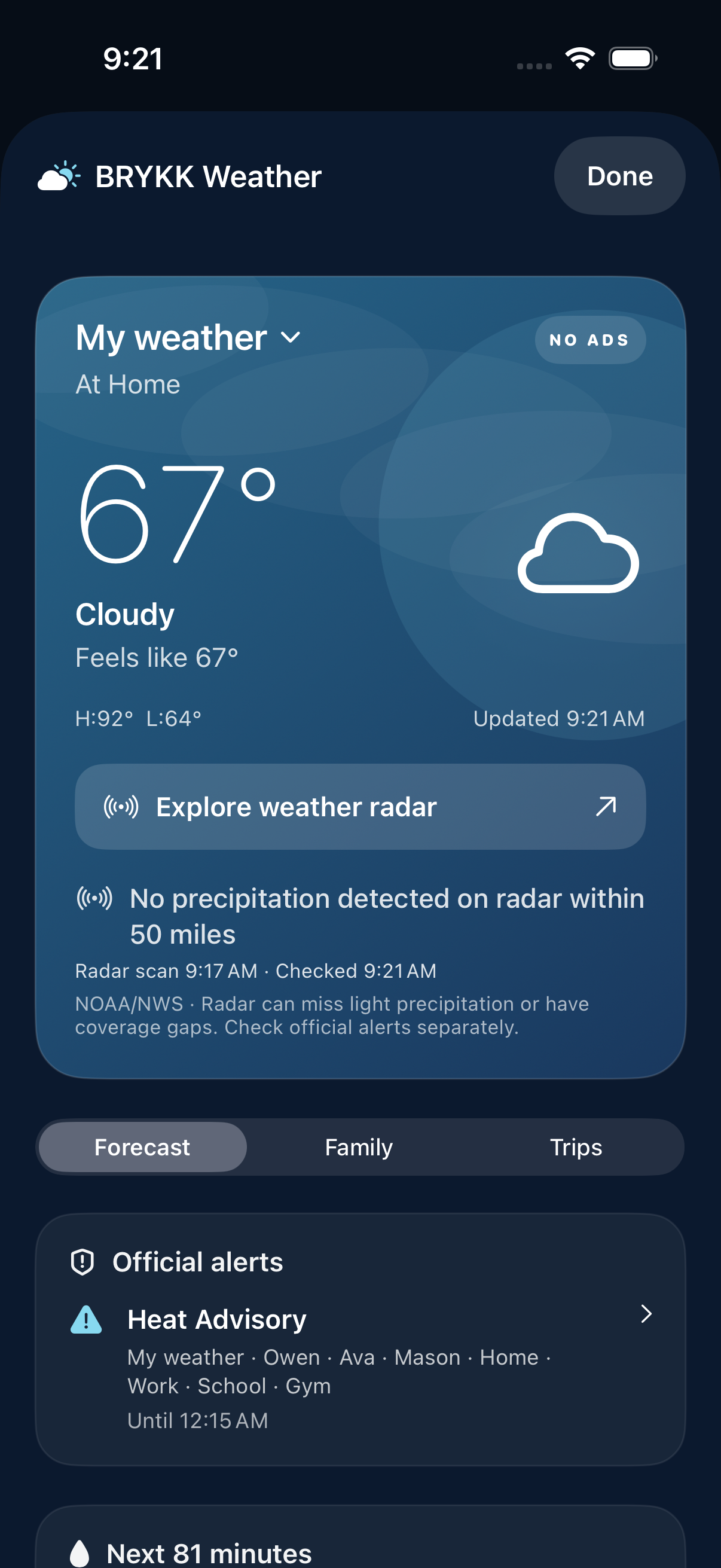
Weather, without the noise
Your forecast, precipitation radar and official alerts. Clear timestamps help you understand what you are seeing.
A calm family dashboard, not a tracker on the kitchen counter.
iPad is the household-glance surface — large map, household context, and the day's rhythm in one warm view that fits the room.
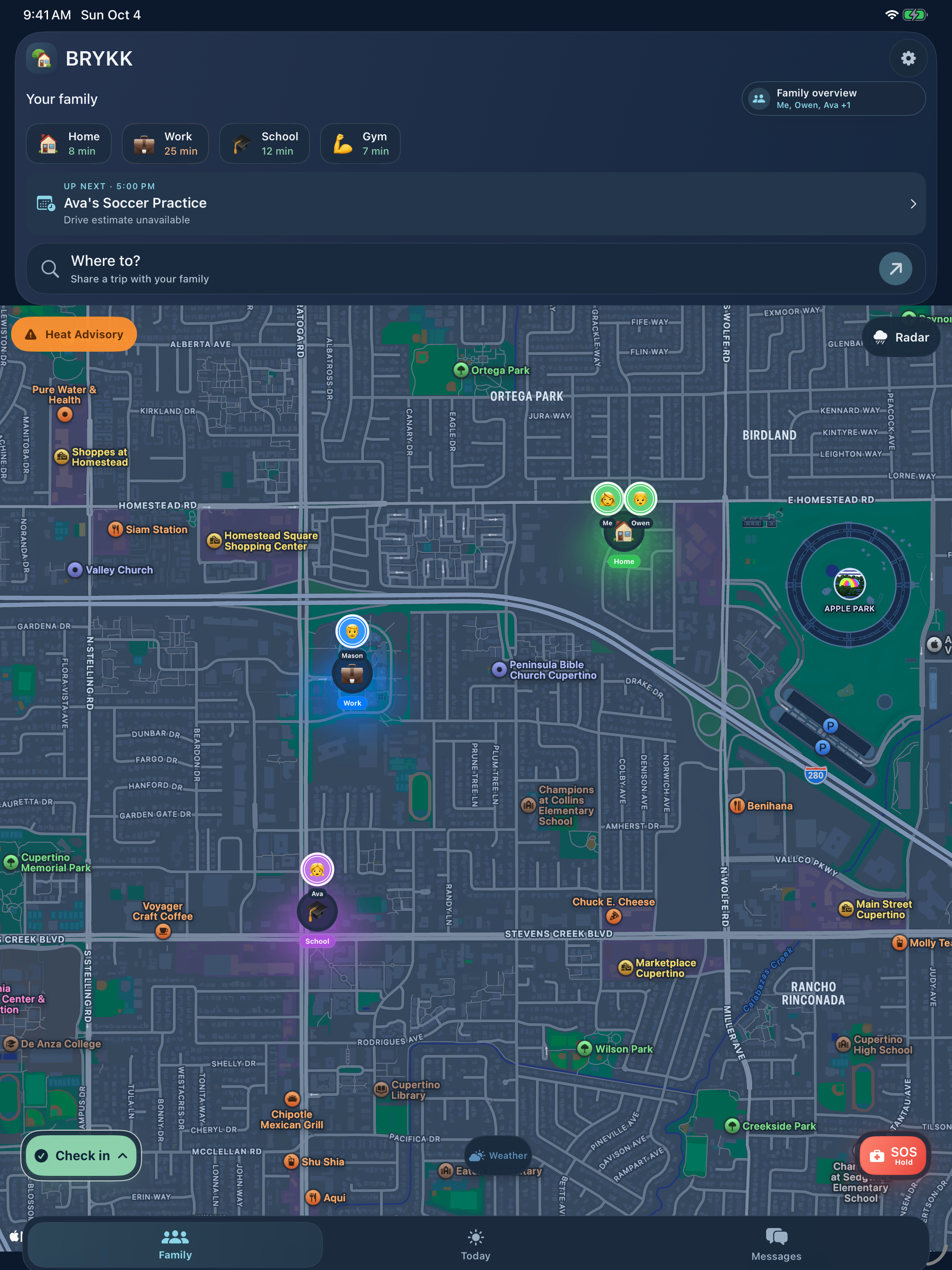
Family map on iPad
The whole family on the kitchen counter — saved places, member pins, and safe-arrival state in one calm scene.
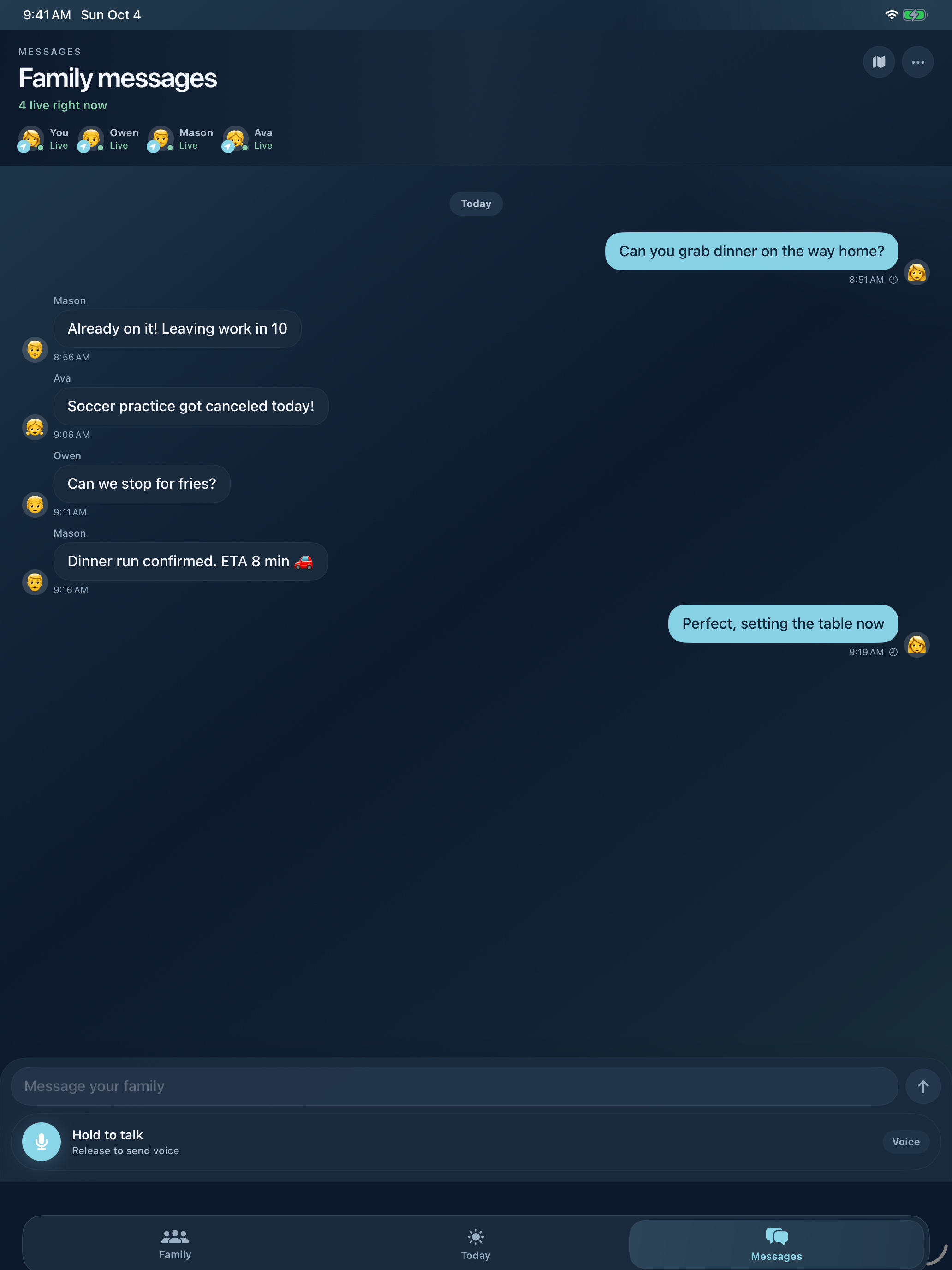
Family messages
Group chat with live presence, voice push-to-talk, and the same soft visual language as the phone.
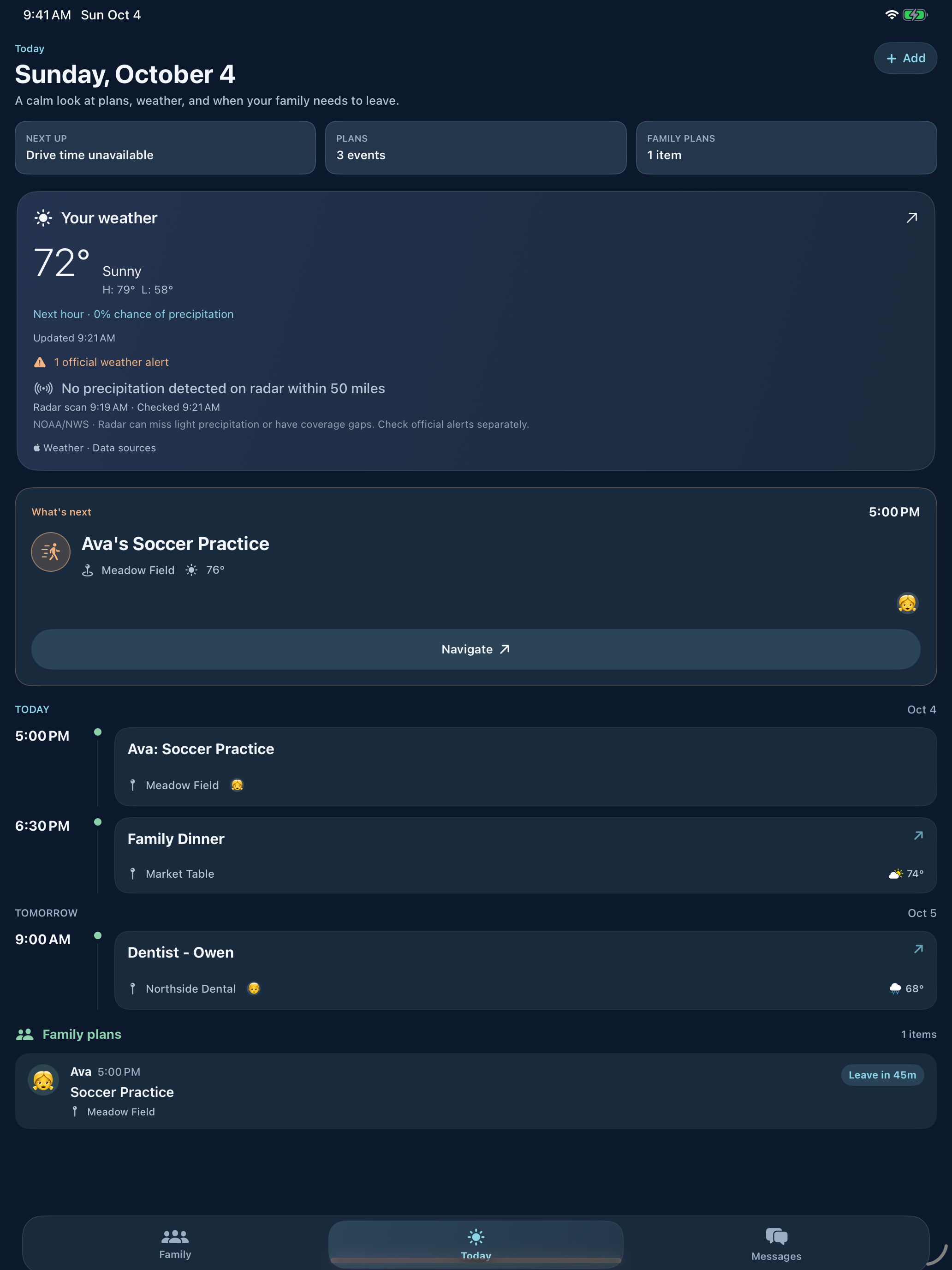
Today on iPad
Plans, weather, and family rhythm in a landscape view that fits a household morning.
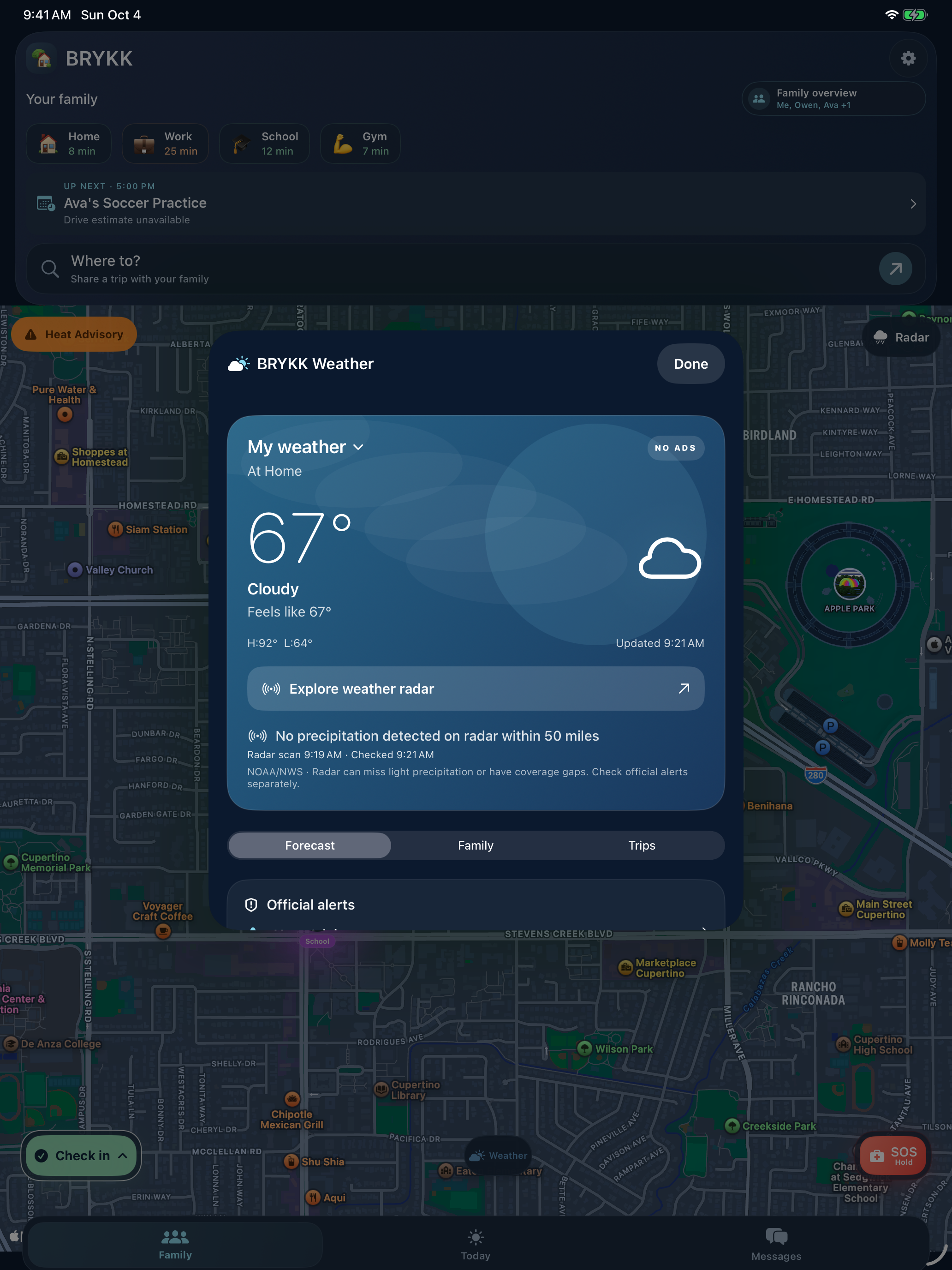
Weather on iPad
A larger forecast view with conditions, update times and separate official alerts.
Family safety on the wrist. Glance, tap, move on.
The watch is the low-friction layer — fast family status, check-in, held SOS, push-to-talk family voice, and active-drive cards in the Smart Stack. Commands queue through the paired iPhone when the connection is temporarily unavailable.
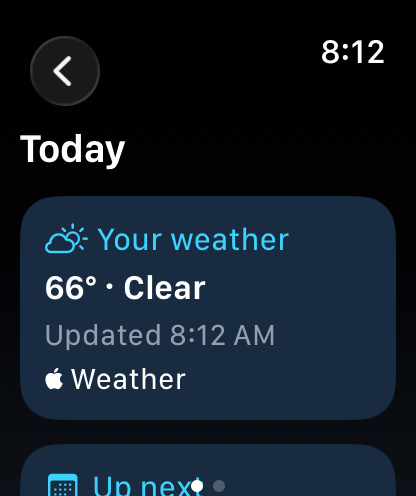
Today on your wrist
Weather and upcoming plans from your companion iPhone, with update times. Real-device sync depends on connectivity and system scheduling.
The next little detail, right at a glance.
Check your family or next shared plan at a glance. A confirmed drive can become a Live Activity even before anyone chooses a destination; planned drives add ETA, progress, and destination weather. Regular widget refresh timing is managed by your device.

Driving now, without inventing a route.
Speed, elapsed time, distance and current area stay useful when no destination was set. Choose one later and the same activity upgrades in place.
The same drive on your wrist.
Apple Watch gets a purpose-built compact view instead of a shrunken phone card.
Family widget
Quick family status without opening the app.
Family chat widget
Recent family messages in the same soft visual language.
Quick Trip
Put Home, Work, or another saved place on the Home or Lock Screen for a faster start.
Family schedule
BRYKK Life can show the next shared plan and a fresh traffic-aware leave time.
Same family feeling on every Apple surface.
BRYKK belongs on the phone in your pocket, the iPad on the counter, Apple Watch on your wrist, Apple TV in the living room, and the lock screen when someone is on the way.
iPhone
The iPhone surface needs to feel warm immediately because this is where parents, kids, grandparents, and spouses actually open BRYKK during a normal day.
BRYKK Weather · No ads
A little more ready
for the day ahead.
The forecast belongs beside your family. Check local conditions from Today, then open radar right from the family map.
See what stays freeYour forecast
Current conditions, hourly and daily outlooks, and a clear update time.
Radar you control
Replay recent precipitation, adjust visibility, and turn the map overlay on or off.
Official alerts
Check supported NWS alerts for the selected location. Missing or old data is not an all-clear.
NOAA/NWS radar and alerts have U.S. coverage limits. Radar shows precipitation echoes, not a guarantee of rain, snow, or ice at ground level. Always follow official warnings.
Useful details. Honest limits.
- Family location
- See the latest shared location and when it was updated. Permissions, connectivity, and device state affect updates.
- Recent drives
- Your 10 most recent family drives are free. BRYKK Life adds access to the fuller history.
- Weather
- Local forecasts, radar, and supported official alerts are free. Family and trip weather add context with BRYKK Life.
- Safety
- SOS and impact detection help you notify your family. They do not replace emergency services or guarantee detection or delivery.
BRYKK Safe builds trust. BRYKK Life funds the family product.
The trust-building safety layer: map, alerts, chat, SOS, impact detection, and active movement without a safety tax.
- Live family map
- Background location sharing
- Arrival and departure alerts
- Text family chat
- SOS
- Impact detection
- Active trip following
- 10 most recent family drives
- Local forecast, radar, and official alerts
- Up to 4 family members
- Up to 2 saved places
The richer layer for trip playback, translation, voice, planner surfaces, expanded saved places, and larger family limits.
- Everything in Free
- One subscription covers your approved family
- Expanded trip history and playback
- Day planner and departure countdowns
- Translation
- Voice messaging
- Family and destination weather
- Premium saved-place colors
- More than 2 saved places
- Up to 10 family members
Meet the neighbors, not just the map.
BRYKK Local is our neighborhood marketplace — buy and sell with people nearby, ask for what you need, find garage sales and food trucks on a live map, and meet up at public spots you choose. Same family that built the safety app, and the same instinct behind it: your exact location is never shown.

Serious safety can still feel warm.
A readable family map, helpful weather, and room to plan together. Start with the free essentials and add BRYKK Life when your family needs more.
iPhone is on the App Store. Android is available now through an invited Google Play beta.