Triggering SOS
The big red SOS button sits in the bottom-right corner of every BRYKK screen. To trigger:
- Press and hold for 2 seconds (prevents pocket dials)
- Your phone starts ringing 911 immediately
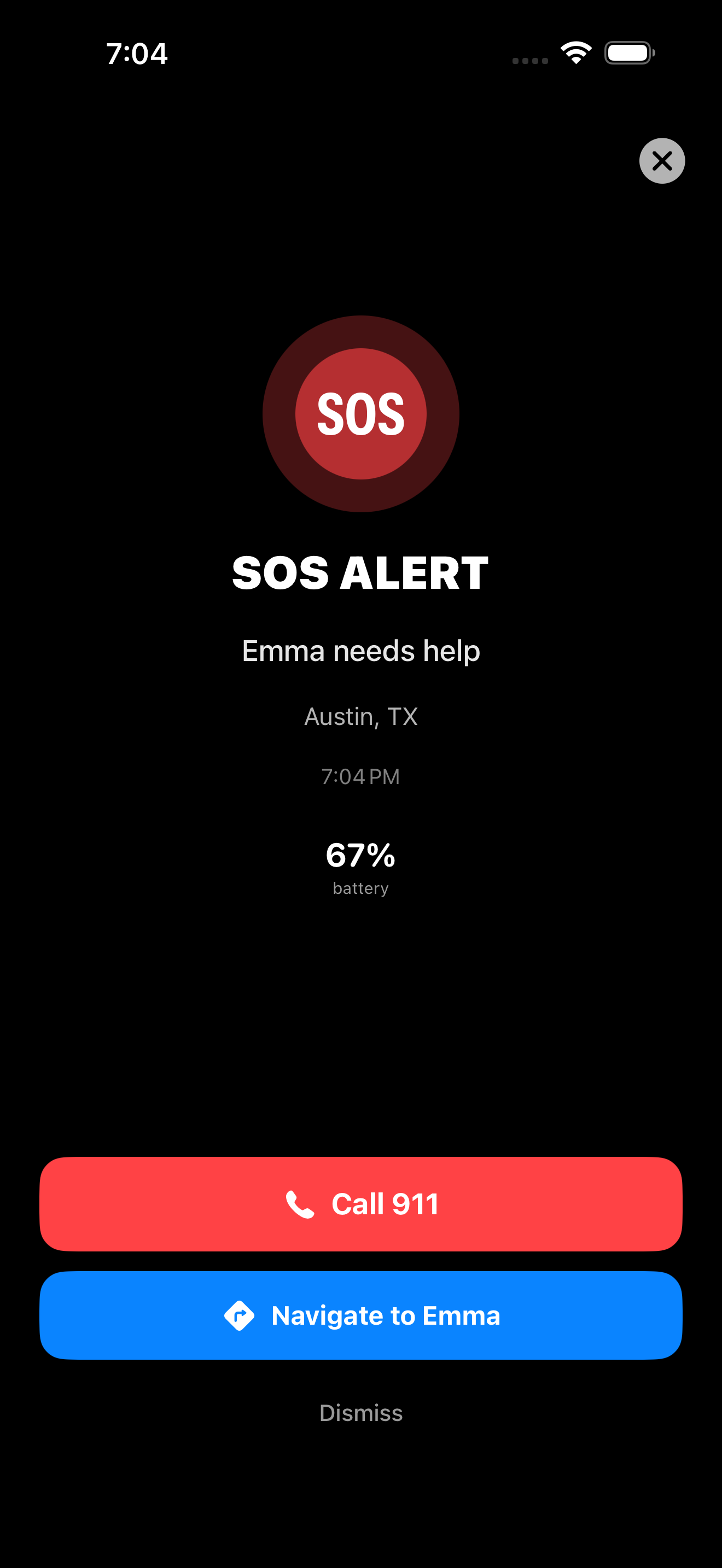
- Every family member is silently alerted with your exact location, battery level, speed, and a navigate button
- A red SOS pulse appears around your avatar on every family member's map
- Family members hear a critical alert sound that bypasses Do Not Disturb and Focus modes — even if their phone is on silent
Impact detection
BRYKK monitors your accelerometer at 20 Hz while you're driving. If a sudden impact above ~18G is detected, BRYKK:
- Plays a loud alarm and vibrates aggressively
- Shows a 10-second “Are you OK?” countdown
- If you tap “I'm OK,” the alarm stops and nothing further happens
- If you don't respond within 10 seconds, BRYKK fires an Impact Alert to every family member with your exact location, the nearest hospital, the nearest fire station, and a navigate button
This happens entirely on-device. No internet required for the detection itself — only for the family alert (which queues if you're in a dead zone and bursts when signal returns).
Safety Plan — for the family member receiving the alert
When you get an SOS or impact alert, tap the notification to open BRYKK directly to the affected family member's detail view. You'll see:
- Their exact location on a map
- Nearest police, fire, hospital, urgent care, gas station, auto repair — all real businesses found via Apple Maps near THEIR coordinates, not yours
- One-tap navigate to any of those places from YOUR current location (so you can drive to them) or to send them step-by-step directions from THEIR location
- Country-specific emergency number (911 in US, 112 in Europe, 999 in UK, etc.)
- Translation button to send them emergency phrases in the local language
False alarms
False impact alerts can happen — dropped phone, slammed door in the cup holder, hard pothole. The 10-second “I'm OK” window is designed to catch them. If you accidentally let it expire and the family alert fires, just open BRYKK and tap “Cancel SOS” on your own profile. The cancellation pushes to the family within seconds and the alert turns off everywhere.
What family members see
The SOS notification is impossible to miss — full-screen red, vibrating, ringing the critical alert tone. The family map shows a red pulse around your avatar. The status banner at the top of every BRYKK screen turns red and reads “SOS — [name]” until the alert is cancelled.